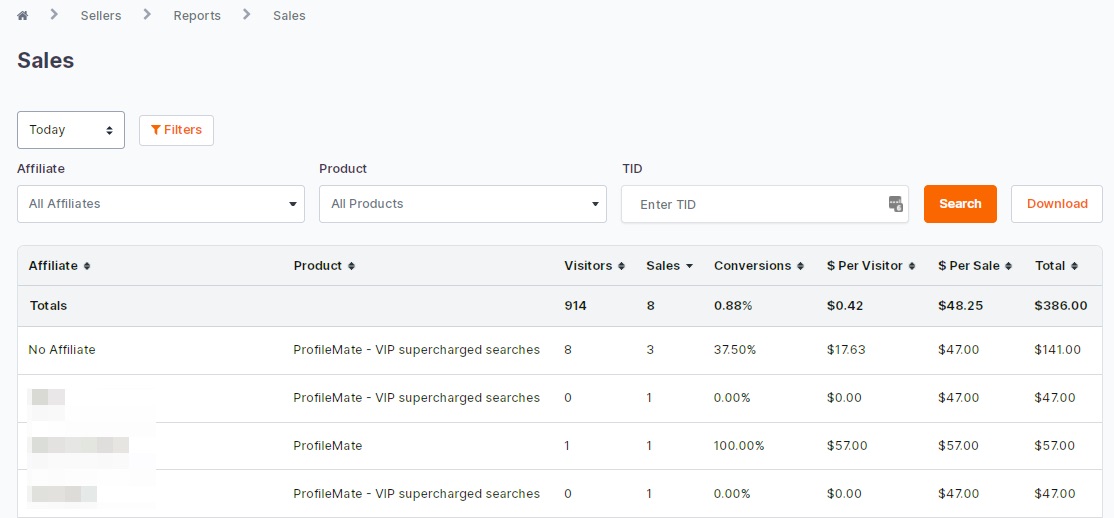
Product sellers have two options to view sales and traffic statistics. To view your Sales Report navigate to Sellers > Reports > Your Sales or by clicking here.
The Sales Report includes conversion data including the number of visitors, sales, conversion percentage, cost per sale and cost per visitor. Sales Reports can be sorted by Product, Affiliate, Date, and Transaction ID. Results can be further sorted by using the arrows in the column header to show results in ascending or descending order. To download the report click the CSV file icon.
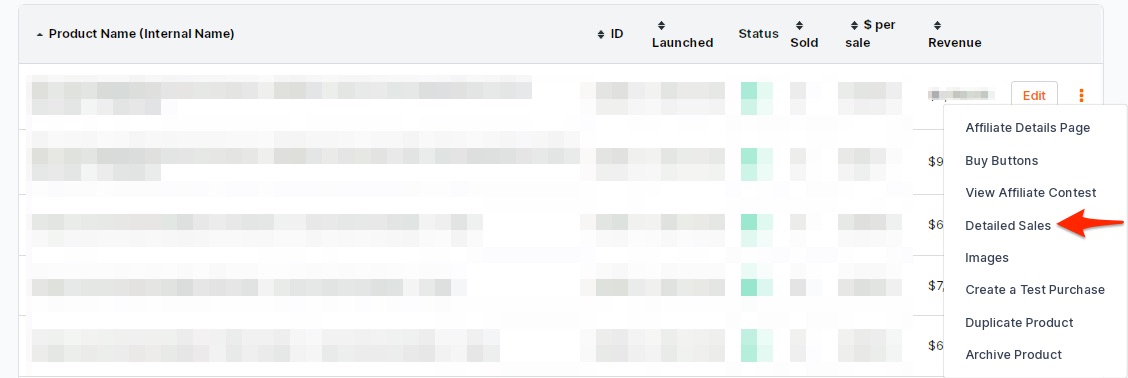
Detailed Sales of a specific product are available by navigating to the Sellers Dashboard. Click the 3 Dots next to the product then select Detailed Sales.
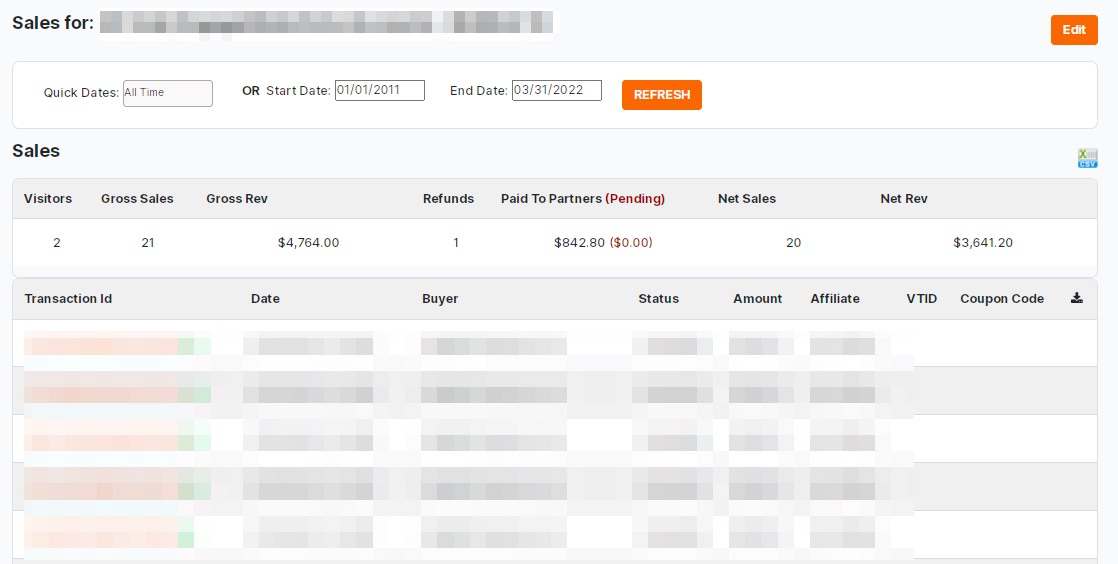
Sort the results by date using the available filters. The Detailed Sales report includes the gross and net revenue for the individual product sales by calculating the number of refunds and how much revenue has been paid to partners (Affiliate’s and JV’s). The Detailed Sales report also lists the transaction number, affiliate, and buyer email address. As with the Sales Report the report can be downloaded.